Archive
Python: Coffee Consumption – P3
Learning : Python, SQlite3, Dataset, Pandas,
Subject: Create Coffee Consumption Application.
[NOTE: To keep the code as simple as we can, We WILL NOT ADD any user input Varevecations. Assuming that our user will Enter the right inputs.]
[ IF THE IS FIRST TIME DOWNLOADING THE CODE FILE, SELECT OPTION 7 FROM MAIN-MENU TO CREATE THE DATABASE. ]
In this part (Part-3) of Coffee Consumption App, we will fill in some code into selected Functions. We will do the following:
- Create Function: Show list.
- Create Function: is_available.
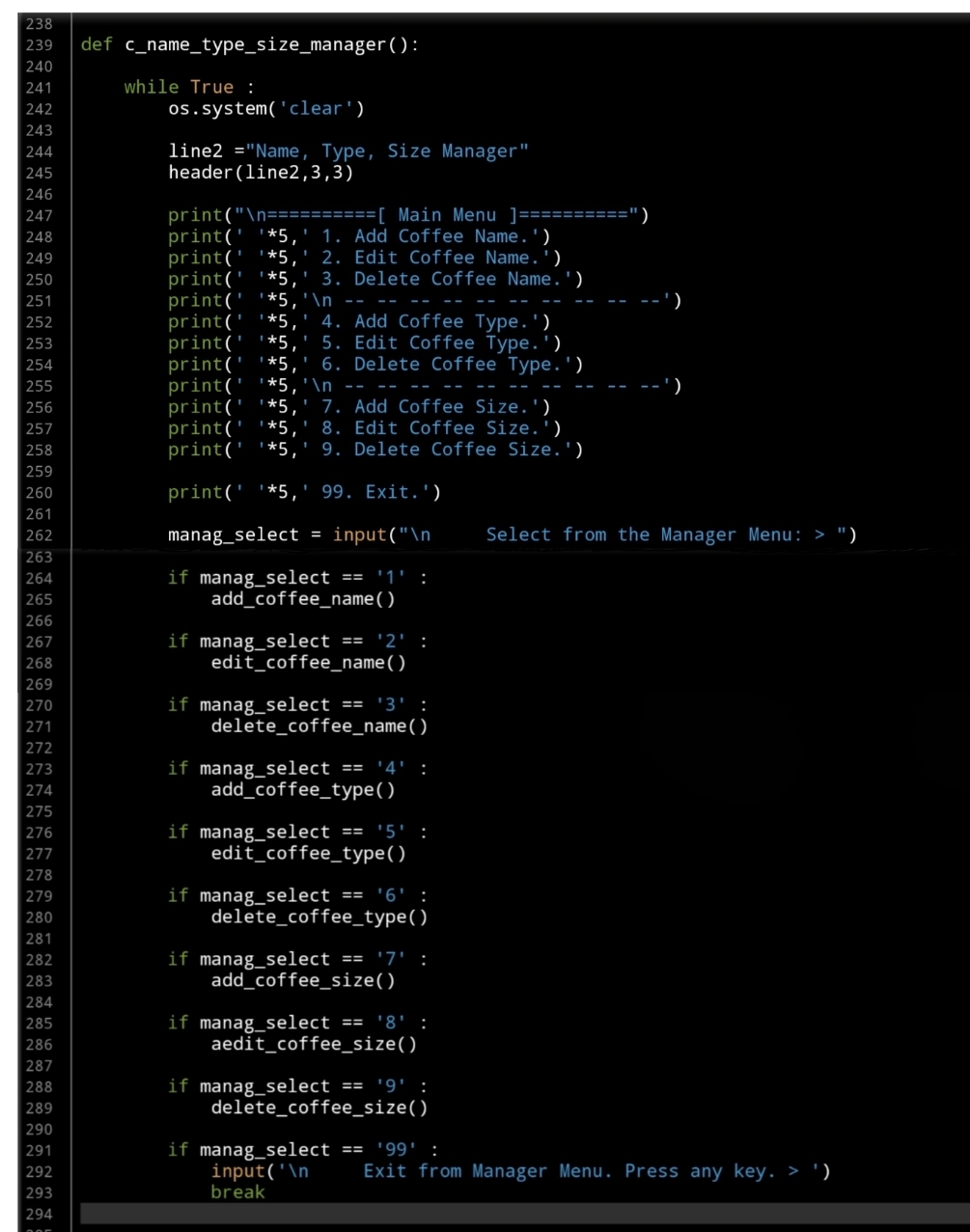
- Create Function: Manager Menu.
- Create Manager Coffee Name Functions: Add, Edit, Delete
So, let’s start with writing the Manager Menu Function and a while loop to take the user selection and trigger the corresponding Function… Here is the Code ..
 |
We have two functions to help us in this application, one of them called def show_list(dt,d_id) is to Display the Data we have in the Lookup Tables based on the user selection function. The Function will take two arguments:
dt: data-table (Coffee Name, Coffee Type, Coffee Size)
d_id: id column name, and returning nothing.
Fisrt, let’s look at this Function:
 |
The second Function will be used to check if the user selection is available in the database, we will call it def is_available (dt, d_id, check_id) this Function is to check if the passed ID available in the data-set or not. The Function will take three Arguments as:
dt: Data-Table, d_id : Name of id column, check_id : The id we want to search for, and it will Return the data-set. After return, if dataset is empty that’s mean selected id is not available.
Now let’s see the function code..
 |
Now we will start writing first three functions to manage the Coffee Name, and will start with Adding New Coffee Name to the lookup Table.
In coming code first we will call the header then show_list(‘coffee_name’,’cn_id’) passing Table Name:’coffee_name’ and id column:’cn_id’ to display the Coffee Names we have on the sccreen. Then we will ask the user to enter the New Name to be added to the database. Here is the Full code..
 |
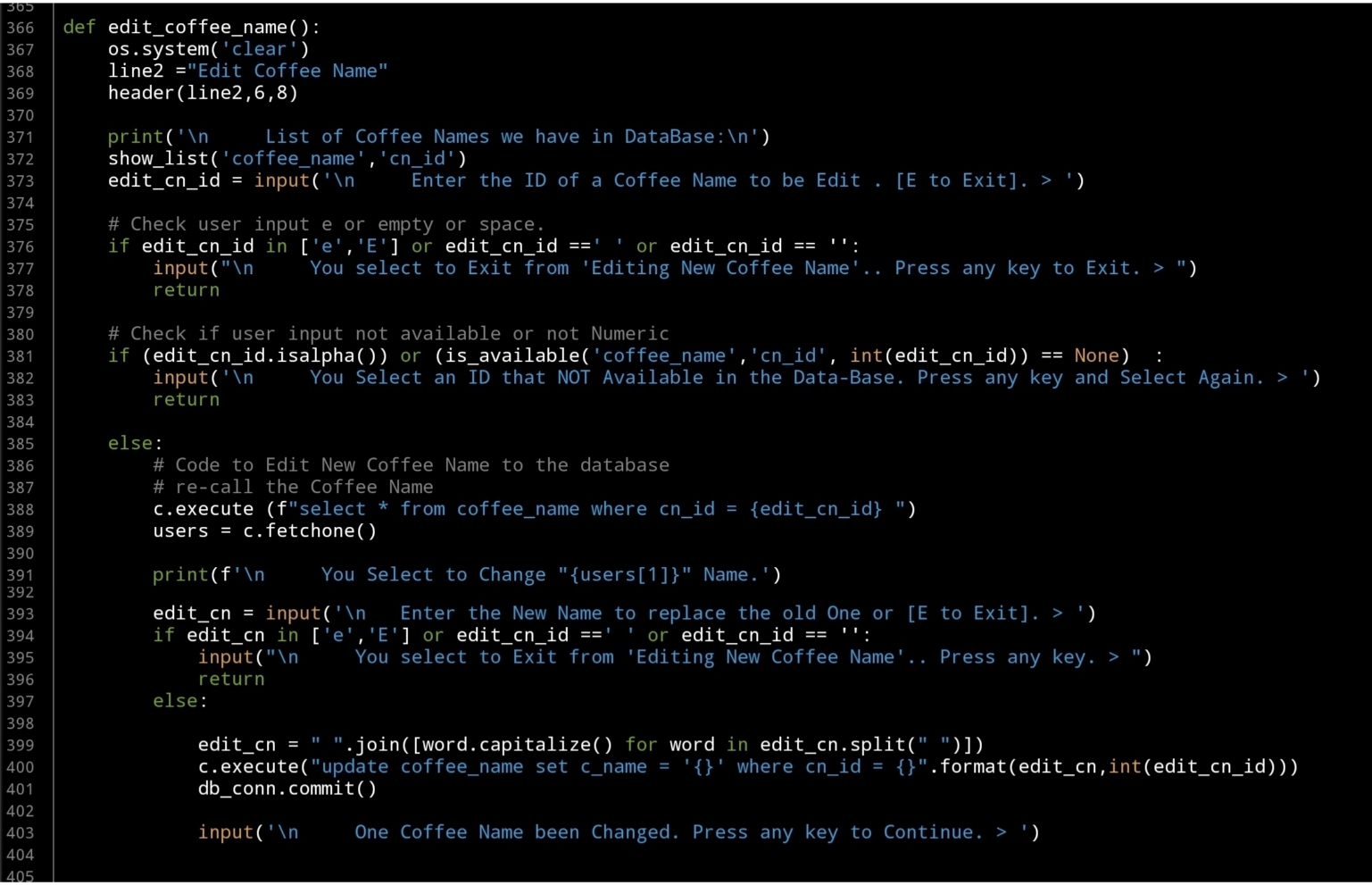
Next we will write the Edit Function, and again after the header and show_list(‘coffee_name’,’cn_id’) we will ask the user to enter the ID of the Coffee Name to be change, here we will do a simple validation on user input. After that we will update the record that the user select. Here is the code..
 |
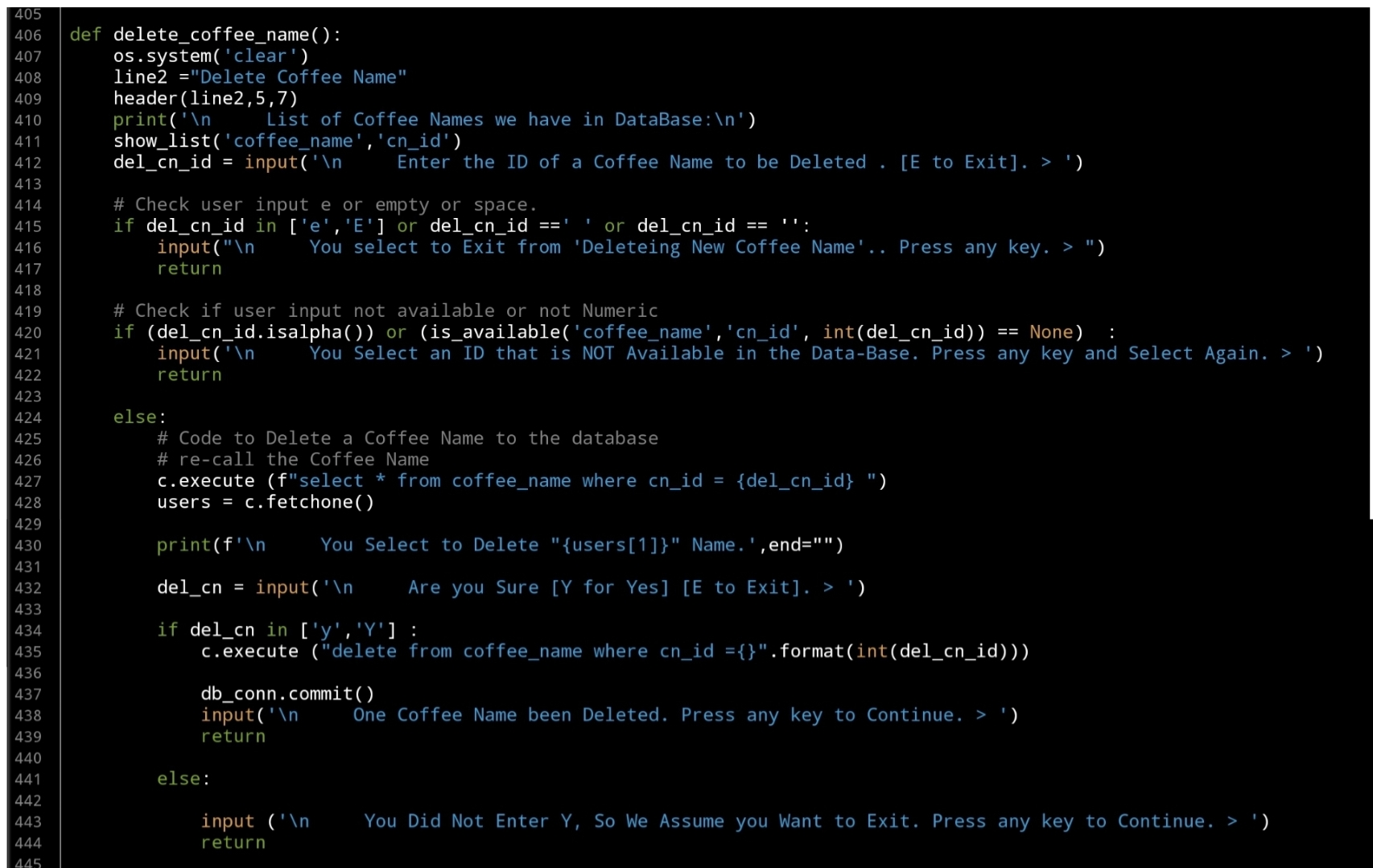
Last Function in this part is to Delete a selected Coffee Name by selection it’s ID, as in the Edit Fnction, the user will select an Id, we will check the availability the will execute the Delete command. Here is the code..
 |
What’s Coming: In Part-4 we will do the Follwing:
Writing three Function to Manage the Coffee Type, Functions are: Add New Coffee Type, Edit Coffee Type and Delete a Coffee Type.
..:: Have Fun with Coding ::.. 🙂
| Part 1 | Part 2 | Part 3 | Part 4 | Part 5 |
| Part 6 | Part – | Part – | Part – | Part – |
To Download my Python code (.py) files Click-Here
 Follow me on Twitter..
By: Ali Radwani
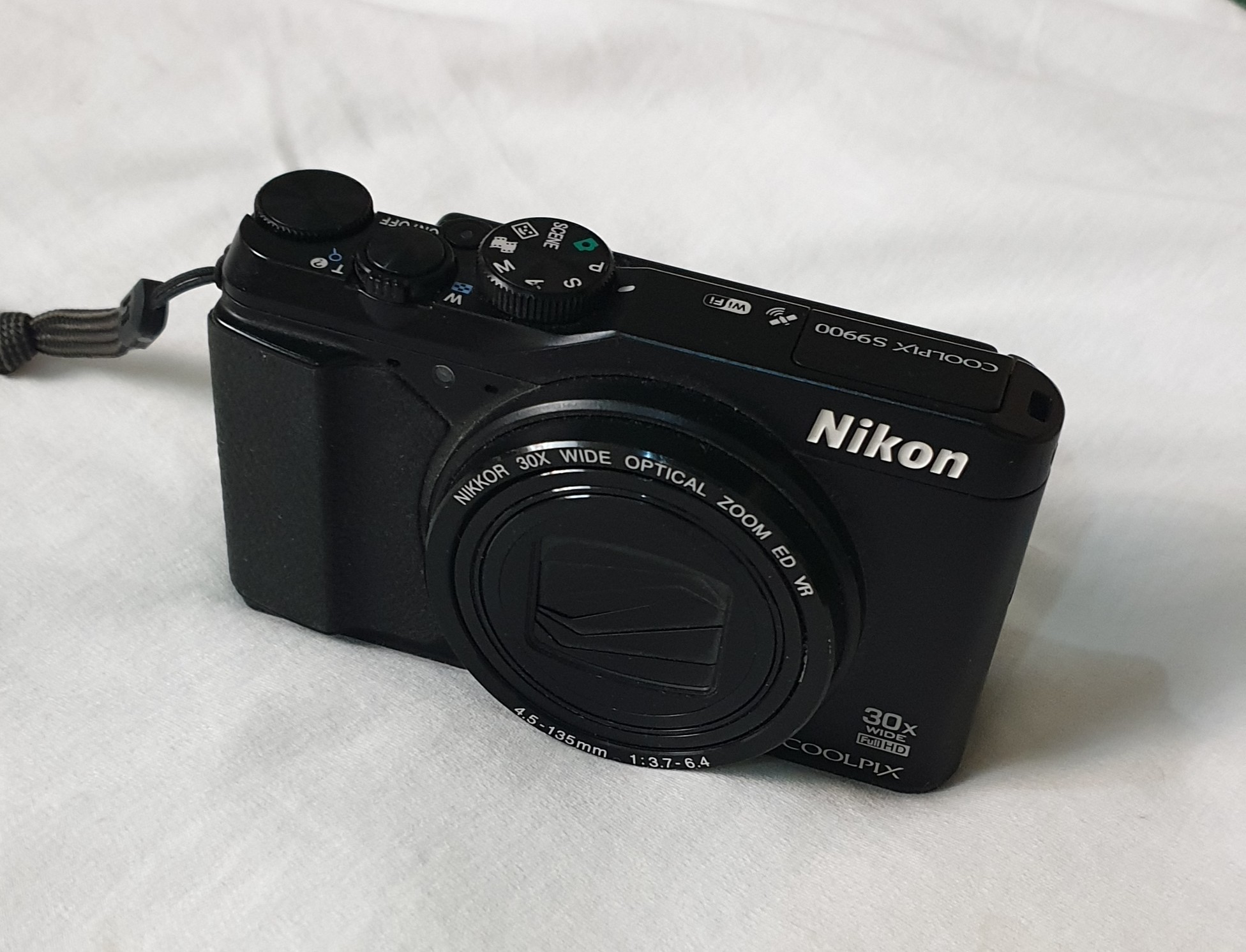
Camera: Nikon S9900
Subject: About My Nikon S9900 Camera
Effective pixels: 16.0 million
Image sensor: 1/2.3-in. type CMOSLens: NIKKOR lens with 30x optical zoom
Focal length: 4.5-135 mm
(angle of view equivalent to that of 25-750 mm lens in 35mm [135] format)Maximum aperture: f/3.7-6.4
Digital zoom: Up to 4x
(angle of view equivalent to that of approx. 3000 mm lens in 35mm [135] format)Vibration reduction
Autofocus (AF)
Macro mode: Approx. 1 cm (0.4 in.)Monitor 7.5 cm (3-in.) wide viewing angle TFT LCD with anti-reflection.
Storage: SD , SDHC , SDXC
Internal memory (approx. 473 MB)ISO 125-1600
ISO 3200, 6400 (available when using P, S, A, or M mode)More Specifications [Click Here]
 |
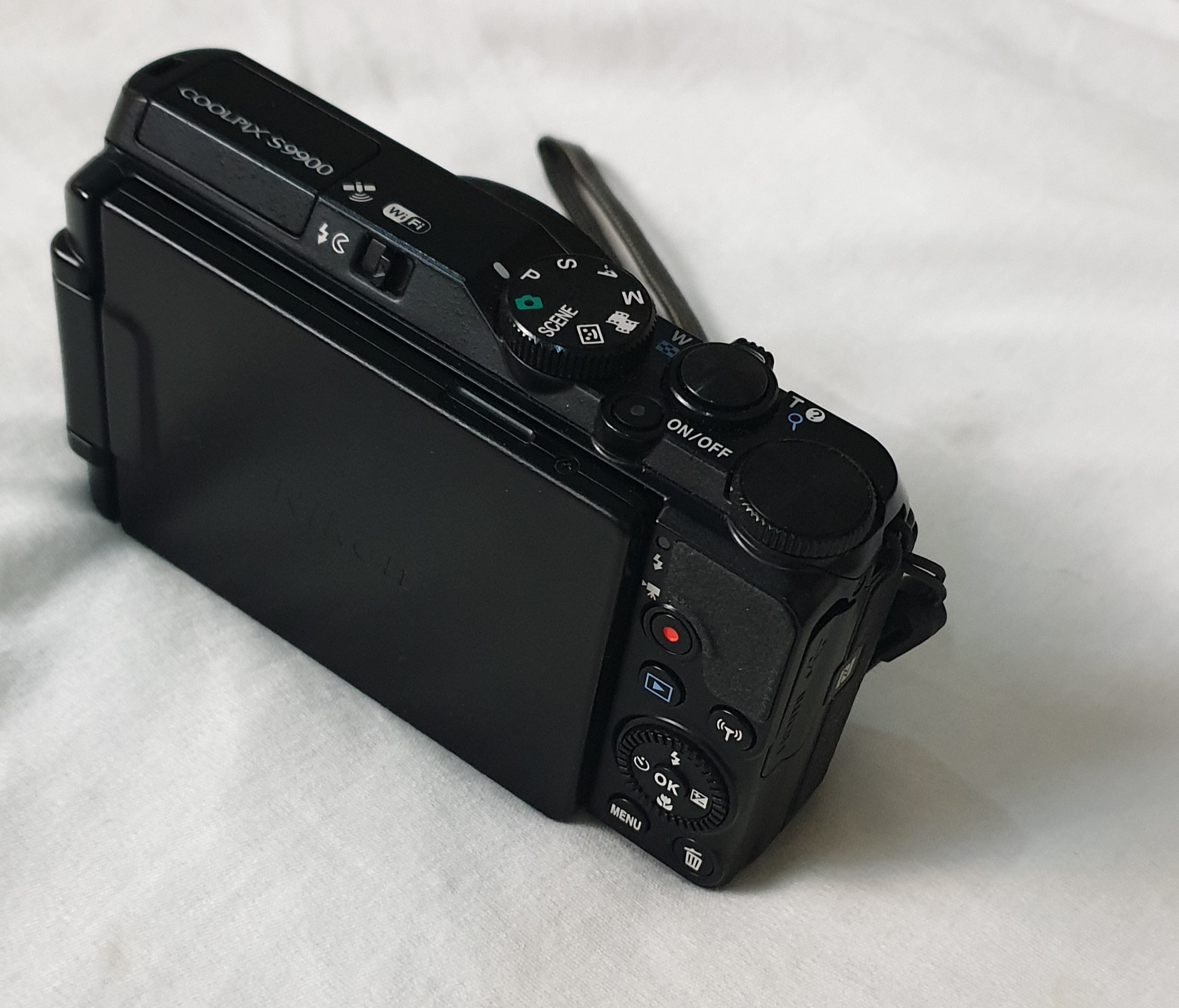 |
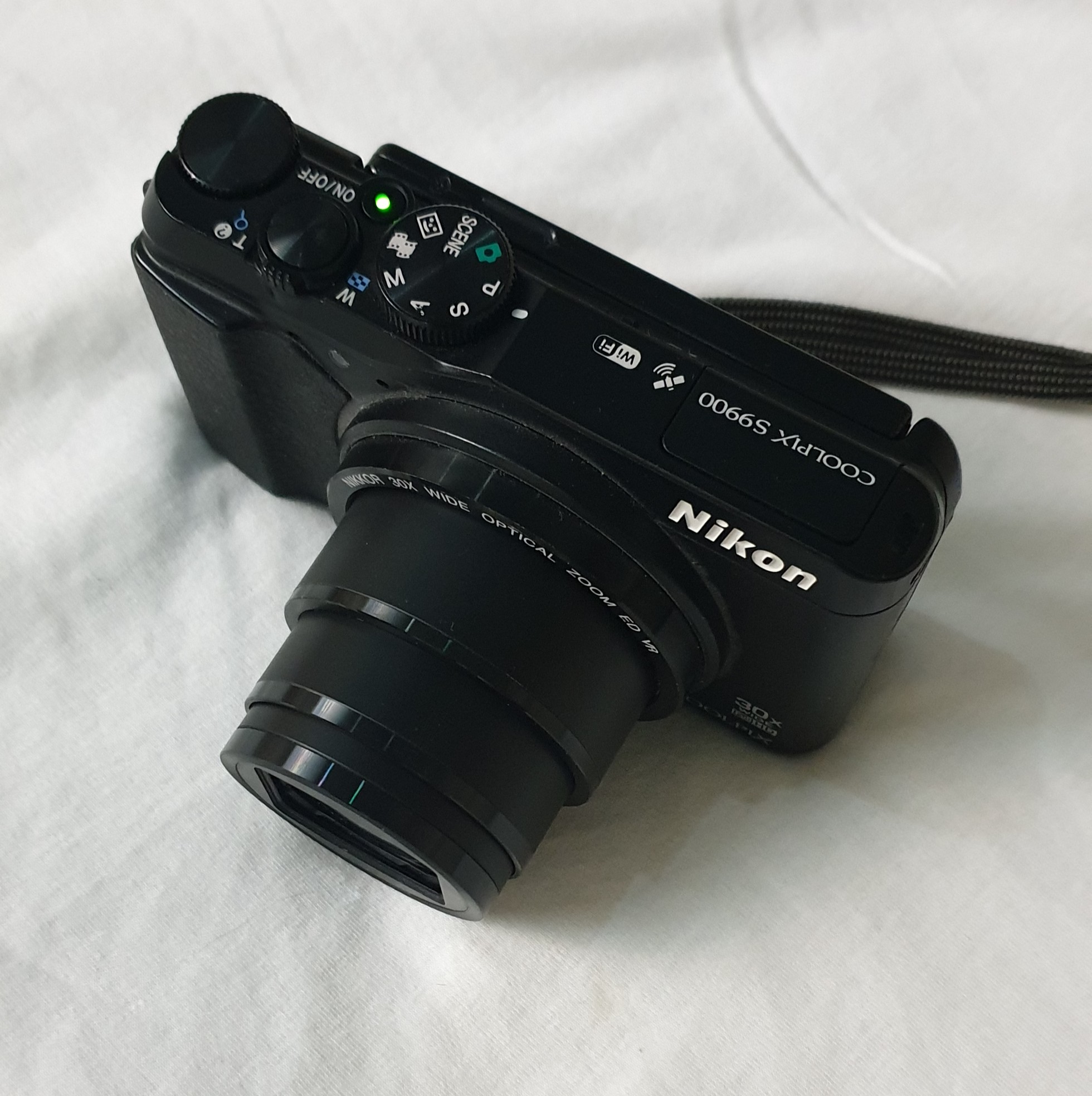 |
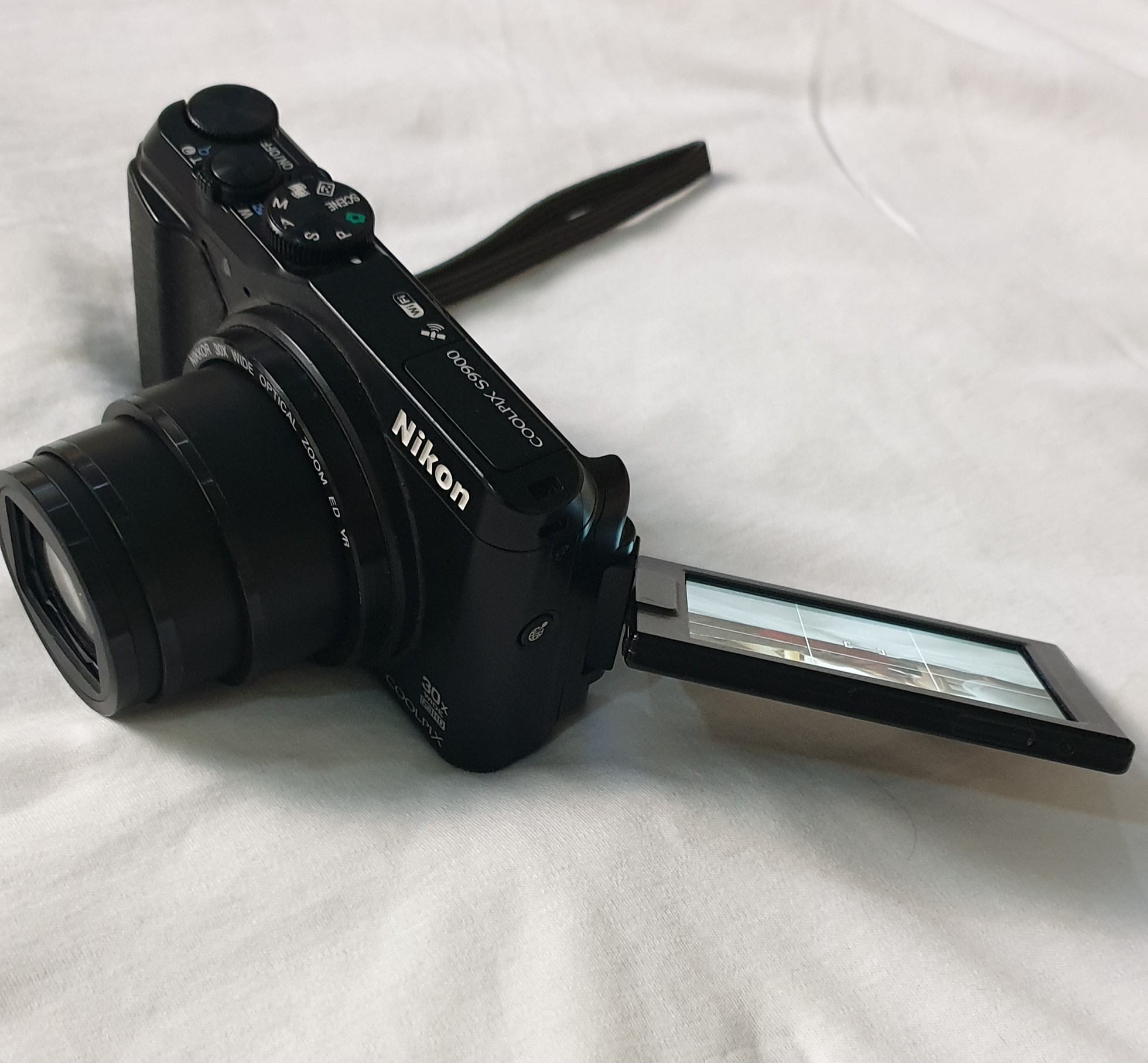 |
I use the camera for a while, not sure why I stop, so i decided to start playing with it more, and post some output. So in coming weeks i will post some landscape and macro shots.
By: Ali Radwani
Coffee and Boat
Some time you need a coffee, and some time you need a strong one .. here is a small shot of Turkish Coffee in a small beautiful cup from Holland . Photo taken by galaxy Note 9 .
Click and follow me on Twitter @h_ta3kees

Flowers in my lens..6
Another beautiful flower in taken by Galaxy Note 9. Setup on a table with a coffee Mug. Follow me on Twitter @h_ta3kees

Digital Sketch: Elephant
Some time I even don’t care to use any special application to do a fast rough sketch, here I am using my galaxy Note 9 and the print-screen (or copy screen) mode to do this fast sketch of an Elephant.
Follow me on Twitter @h_ta3kees

Flowers in my lens.. 4
Here is another photo sample taken with #galaxy #Note9 phone for some flowers in my garden..
For mor follow me on Twitter @h_ta3kees

Activities in Pandemic
During COVID19 school vacation I had several activities with my kids specially Drawing and Coloring, here are some papers that we colored along with Turkish Coffee (coffee for me). I take the photo using Galaxy Note 9.

Another sketch challenge: Red Pandas
This week sketch challenge @1hour1sketch is to Draw a Red Pandas or Racoon Fox, so here is my sketch using pencil, black Pen and watercolour.
I am sure I can’t do better than this, I need more practice in using white color and fur drawing / painting
More Sketches on my Sketch page ..
also follow me on Twitter @h_ta3kees

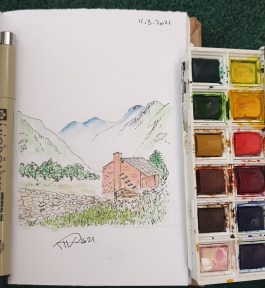
Another sketch challenge: The House
This week sketch challenge @1hour1sketch is to Draw a Red House, so here is my sketch using pencil, black Pen and watercolour. More Sketches on my Sketch page .. also follow me on Twitter @h_ta3kees
Flowers in my lens.. 3
Here is another photo sample taken with #galaxy #Note9 phone for some flowers in my garden..
For mor follow me on Twitter @h_ta3kees


Taking pictures is not my main daily practices, but when i start playing with my camera, i really enjoy my self.
Thanks for visiting my Space..


 Ali's Photography Space...