Archive
Python: My Orders Tracker P-3
Learning : Pythn, sqlite, Database, SQL
Subject: Create a system to track the orders
In this part we will write the code to Delete an Order that we have from our system, also we will add some validations on the user input, like if the user enter something not from the menu, or to do so, first we will re-call the show_orders() function that we have and passing the ‘yes’ parameter which means we are calling the function from inside another function [we will not print the function header, and will not clear the screen]. Then we will ask the user to select/Enter the ID of the order to be Deleted, after that we will print tha order details again on the screen and ask the user to confirm Deleting command by entering ‘Y’ … thats it.. let’s write the code..
# Delete Order

def del_order():
    os.system('clear')
    print("\n==========[ Delete Orders ]==========\n")

    show_order('yes')

    del_order = input('   Select the Order ID to be Deleted. [E to Exit] > ')

    if not del_order.isnumeric() :
        input('\n   You need to enter an Orders ID [Numeric]. .. Press any Key .. ')
        return

    elif del_order in ['e','E'] :
        return

    try:
        c.execute ("select * from orders where o_id ={}".format(del_order))
        order_list = c.fetchone()

        if order_list == [] :
            input('\n   ID {} not exsist.'.format(del_order))
            return

        os.system('clear')
        print("\n==========[ Delete Orders ]==========\n")
        print('\n   Details of the Order you select:\n ')

        print("   ID: ",order_list[0])
        print("   Date: ",order_list[1])
        print("   Order Number: ",order_list[2])
        print("   Price: ",order_list[4])
        print("   Quantity: ",order_list[5])
        print("   Shipment Price: ",order_list[6])
        print("   Total Cost: {:.2f}".format((order_list[4]*order_list[5]) + order_list[6]))
        print("\n   Description:",order_list[3])
        print("   Image:",order_list[8])
        print("   Link:",order_list[7])

        user_confirm = input("\n\n   You Select to DELETE the above Order, Enter Y to confirm, E to Exit. > ")
        if user_confirm in ['y','Y'] :
            #To Delete the order..
            c.execute ("delete from orders where o_id ={}".format(int(del_order)))
            db_conn.commit()

            input('\n   One record has been DELETED ... \n      ... Press any key to Continue ...')

        elif user_confirm in ['n','N']:
            input("\n    You select not to DELETE any thing.   Press any key to Continue .. ")

        elif user_confirm in ['e','E']:
            input("\n    You select stop the process and EXIT.    ... Press any key to Continue .. ")
            return

        else:
            input('\n      Wrong input ... Press any key to continue ..')

    except:
        pass
The user select #3 from the menu to Delete an Order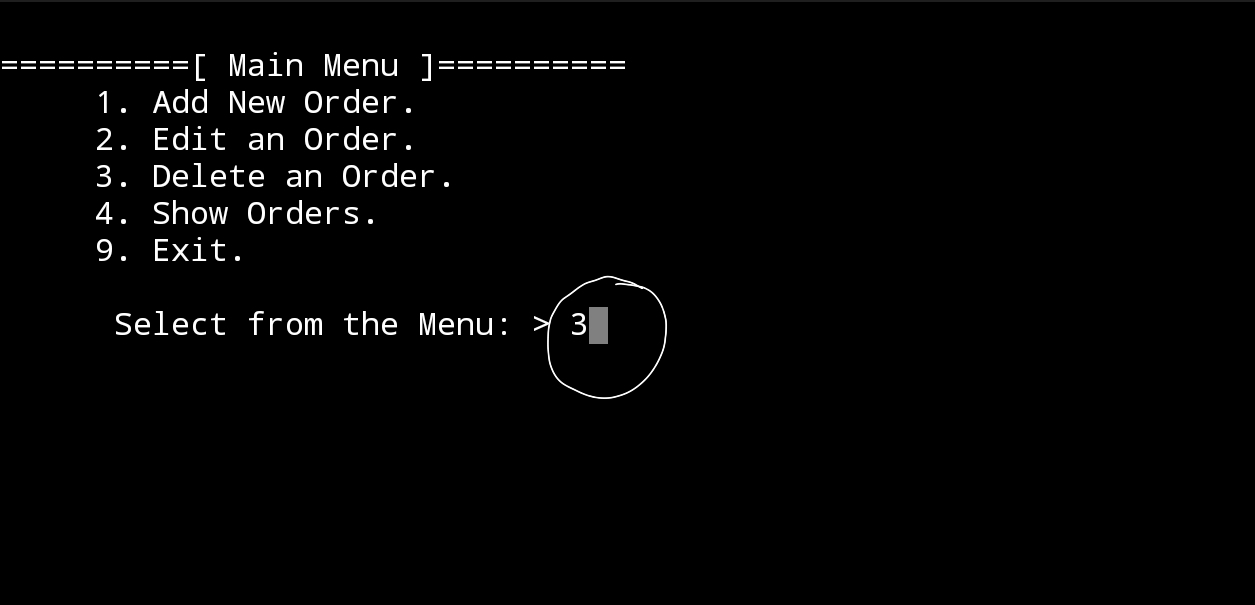 |
The screen display the list of orders we have in the system, and the user select Order ID Number 3 to delete it. |
The screen display the details of the order ID 3 and ask the user to confirm the deleting by entering ‘Y’ |
In Next Post: In the coming post P4 , we will write the codes to Edit an order information.
| Part 1 | Part 2 | Part 3 | Part 4 |
To Download my Python code (.py) files Click-Here
By: Ali Radwani
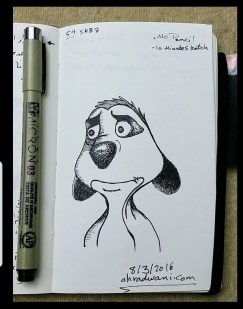
A Sketch from Five years back
Looking back in my sketchbooks this is a sketch from 2016 on same day 8.3.2016, in this one I didn’t use pencil, and I was fast in sketching against the time. Later I did some tuning and retouching. ..
Another sketch challenge: Horse
This week sketch challenge @1hour1sketch is to Draw a Horse, so here is my sketch using pencil, black Pen. More Sketches on my Sketch page .. also follow me on Twitter @h_ta3kees

Flowers in my lens.. 3
Here is another photo sample taken with #galaxy #Note9 phone for some flowers in my garden..
For mor follow me on Twitter @h_ta3kees
Flowers in my lens.. 2
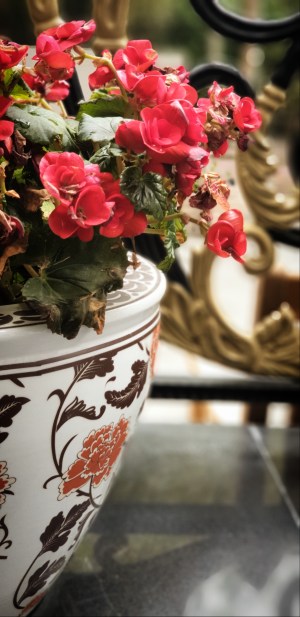
Using the #galaxy #Note9 I take a photo of this flowers in my garden. You may follow me on Twitter Here.

Flowers in my lens ..1

Another sketch challenge week: Parrot
This week sketch challenge @1hour1sketch is to Draw a Parrot, so here is my sketch using pencil, black Pen. More Sketches on my Sketch page .. also follow me on Twitter @h_ta3kees

Another Sketch Challenge: Giraffe
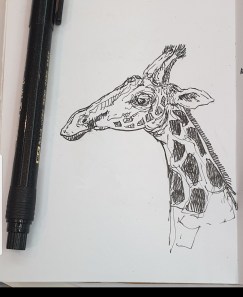
This week sketch challenge @1hour1sketch is to Draw a Giraffe, so here is my sketch using pencil, black Pen. More Sketches on my Sketch page ..
By: Ali Radwani.
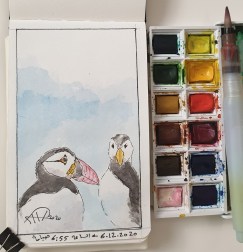
Another Sketch Challenge: Puffin
This week sketch challenge @1hour1sketch is to Draw a Puffin, so here is my sketch using pencil, Pen and water color..
Python: Spirograph
Learning : Python
Subject: Writing Python codes to generate Spirograph Art
Writing codes to draw always funny time for me, playing around numbers, changing attributes to get something new and changing it again .. and again ..
In this post, we will write a code to draw some spirograph shapes, easy and shrort code will do the job. So lets Start ..
We will use Python Library turtle to draw, and will write one Function call it def draw_it(h,sz,ang) will take three arguments: h:number of heads, sz: size, ang: angle, then we will call this function to draw our Spirograph Art.
Code:
First we will set-up the turtle:
# turtle set-up
import turtle
t = turtle.Turtle()
t.shape("dot")
t.speed(0)

t.hideturtle()
Then here is the main Function to draw our graphs
# draw_it() function

def draw_it(h,sz,ang) :
  c = 0
  while True :
    for i in range (h) :
      t.forward(sz)
      t.right(360/h)

    t.right(ang)
    c +=1
    if c >=360/ang :
      break
Then we call the function and pass the parameters, I tried several combinations and will include them in the source file in Download section. Here are some out-puts.
| Calling: t.pencolor(‘lightgray’) draw_it(19,19,19) t.pencolor(‘gray’) draw_it(17,17,17) t.pencolor(‘black’) draw_it(15,15,15) 
|

|
 |
Hope you enjoy, have fun and change the numbers to get new shapes ..
To Download my Python code (.py) files Click-Here

By: Ali Radwani

Taking pictures is not my main daily practices, but when i start playing with my camera, i really enjoy my self.
Thanks for visiting my Space..


 Ali's Photography Space...