Archive
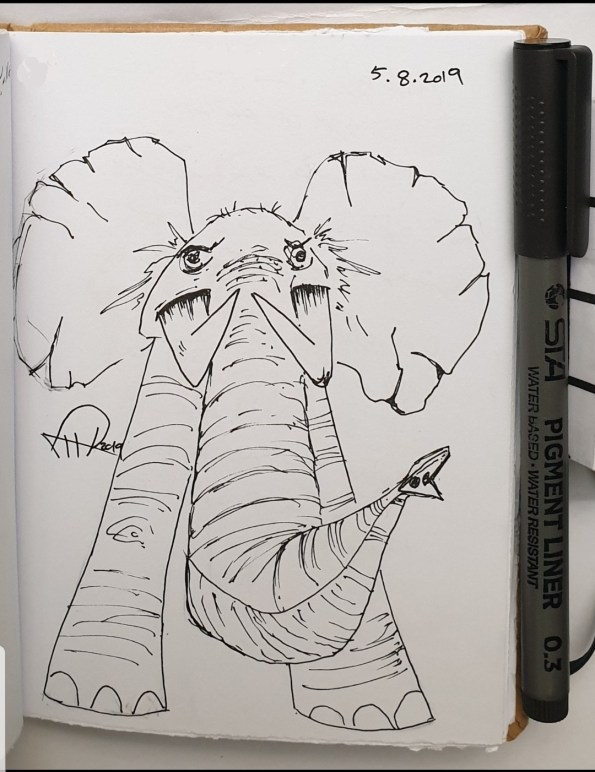
Sketch from One Year Back
This is an Elephant sketch from One #year ago i use a pencile then black ink pen.
|
Tow Weeks with Kaggle
Several months ago I was looking for some data to test one of my projects, the search take me to KAGGLE page, I spend some time there grab some free data I want; test my project.. DONE!.
Tow weeks ago I was reading an article and the name Kaggle come across, I decide to give the page some more time. I join it, and immediately start to joined one of free courses. I am happy to be there, learning from the community I finish five free courses in Tow Weeks, they have tons of data, highly recommended it.

|
…… KAGGLE Team ….. Thank you ..
To Download my Python code (.py) files Click-Here
 Follow me on Twitter..
By: Ali Radwani
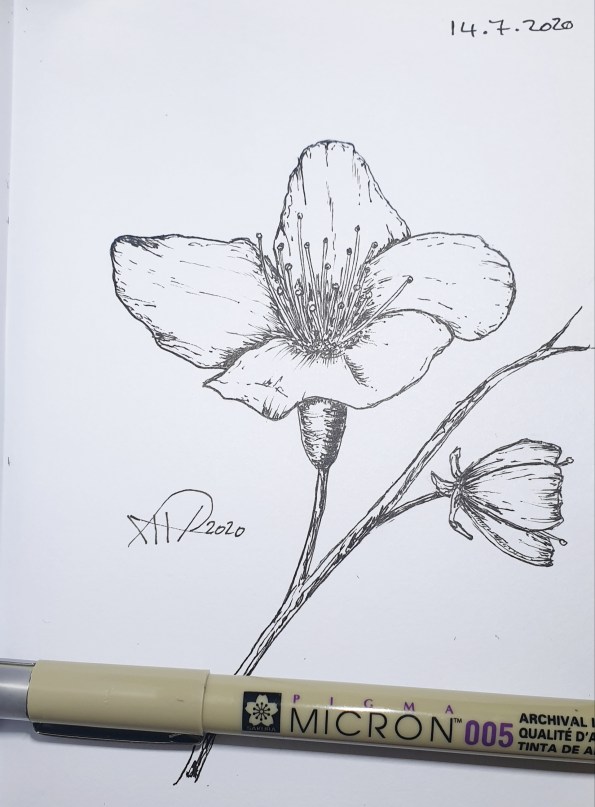
Sketch to Relax
This is a last night Sketch, just to break or stop thinking in codes and functions that are not working well. I think I need to stop codeing for 2-3 Days.
Python Project: Filter Numbers with a List
Python: Bite 107
Filter numbers with a list comprehension
I was happy to join Pybites and start to solve the code-challenges, my problem from the first bite was that i am solving the challenges in other online python interpreter, and it looks working fine and the output seams as it should be, but once I copy the code in Pybite portal and doing the code test it fail and gives errors.
In this challenge Bite 107, after a list of numbers the task is to return the positive even number. Now in the task description it mentioned to use (elegant list comprehension; one line of code). I start to work on it, immediately it jump to my head a for loop and if each item is even and more than 0 add it to my_list, then return my_list. After coding, the output was a list with positive and even numbers in a Number-list, but it failed in the Bite test portal. WAY!.
This type of failure was against me in other challenges also, and i was just setting all the day thinking what happen!. With Bite 107 I decide to click on “Show Solution” button just to see what is wrong.
One line code:The Solution was in one line of list brackets after a return statement congaing for and if without my_list. just like that. I start smiling, and ask my self “How could i know that i can write it like this??”. Yes it is beautiful, Yes elegant and yes one line of code, and yes my-way of coding gives the answer that we want, my code pass my testing exam.
Concloguen: I think i come up with a good resource of learning python, I don’t want to read book’s but reading codes that doing things and having the alternatives of writing same code; this will help me a lot. I am not coding for NASA or in other sensitive area that processing time is essential and micro-milli seconds make difference, so one line of four-line to-me is OK. 🙂
Acknowledge: I’d like to thank Pybite community for there contribution in spreading knowledge and codes, and for this challenges. I will read the challenges, and try my best to solve them as elegant as i can, also i will not stop in one point because my code is 2 lines more than what should be.
Last thing, Bite 107 here is my code and the elegant code. Be calm and positive.
The Code:
#First: My Code
def filter_positive_even_numbers(numbers):
my_list=[]
for i in range(len(numbers)):
if (i>0 and i%2==0) :my_list.append(i)
return my_list
print (filter_positive_even_numbers(numbers))
#The optimal solution
def filter_positive_even_numbers(numbers):
return[n for n in numbers if n > 0 and n % 2 == 0]
Python Project: Draw Face
Drawing Face
In this fast python code we will draw a Face using 3 circles and one line.
We need to import a library for this called turtle, and we will use functions to help us in our mission, so let’s start.
#Python #code to #draw #face
import turtle
t=turtle.Turtle()
t.speed(9) #this will set the drawing speed to 9.
t.pencolor(“black”) #you can change the color to red, blue, or any other.
# Now we will create a functions taking circle size(s), the position (x,y) and our turtle name (t)
def d_c(t,s,x,y)
t.penup() #take pen up of the canvas.
t.goto(x,y) #goto position x,y
t.pendown()
t.circle(s) # draw the circle.
d_c(t,50,25,0) # call to draw the face
d_c(t,7,5,50) #call to draw the eye.
d_c(t,7,50,50) #call to draw second eye
t.penup()
#now we will draw the mouth
t.goto(15,20)
t.pendown()
t.goto(50,20)
Python Project: Expenditure App Part 1
Python Project:
Two months back I start to learn #Python “Python is a #computer #programming #language “, you can say it grabbed me very quickly. I start to read some #sample #code from the net, then downloading the requirement and after 10 working days I was writing #codes in python and doing what I love ‘Solving #mathematics puzzles with #python’.
So I decide to contribute in training or publishing python language by posting some codes block with explaining and comments, also by developing an application so we will learn on a real example.
I am publishing some codes on my Twitter (@h_ta3kees):
https://twitter.com/h_ta3kees?s=09
and I will do the same here on my blog.
The coming posts will be about the application that we will start develop I will call it ‘Expenditure App’.
My Sketchbook
I am sketching to enhance my skill, here is one of sketches from my sketchbook using pencil as a guide-line and ink-pen to finish the drawing.

Click to Enlarge
::SketchBook::
Sketch of: Seals
Using: Ink-Pen
Date: 9.9.2015
SketchBook: SketchBook # 4
More Sketches: Click Here

Ali,
Our Old House
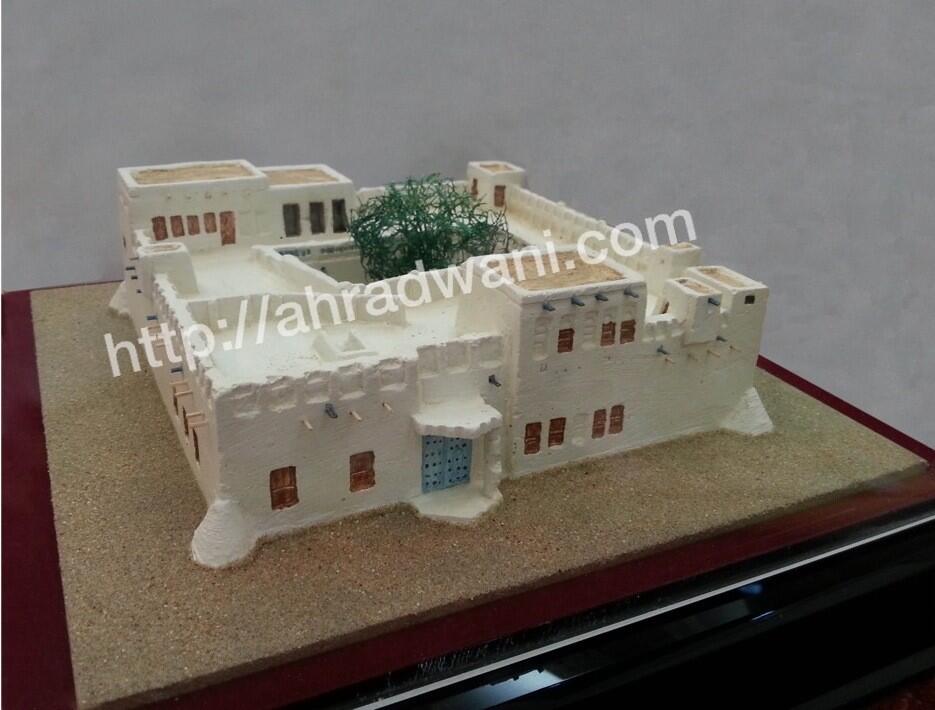
This is a small scale of our House in Al-Jasra area – Qatar in front of Souq Waqif build Since 1933 it will be part of Mushaireb project it expected to be a museum.
منزل رضواني بمنطقة الجسره – قطر مقابل سوق واقف منذ ١٩٣٣م وهو جزء من مشروع مشيرب ومن المتوقع ان يكون متحف
Macro on RoSe
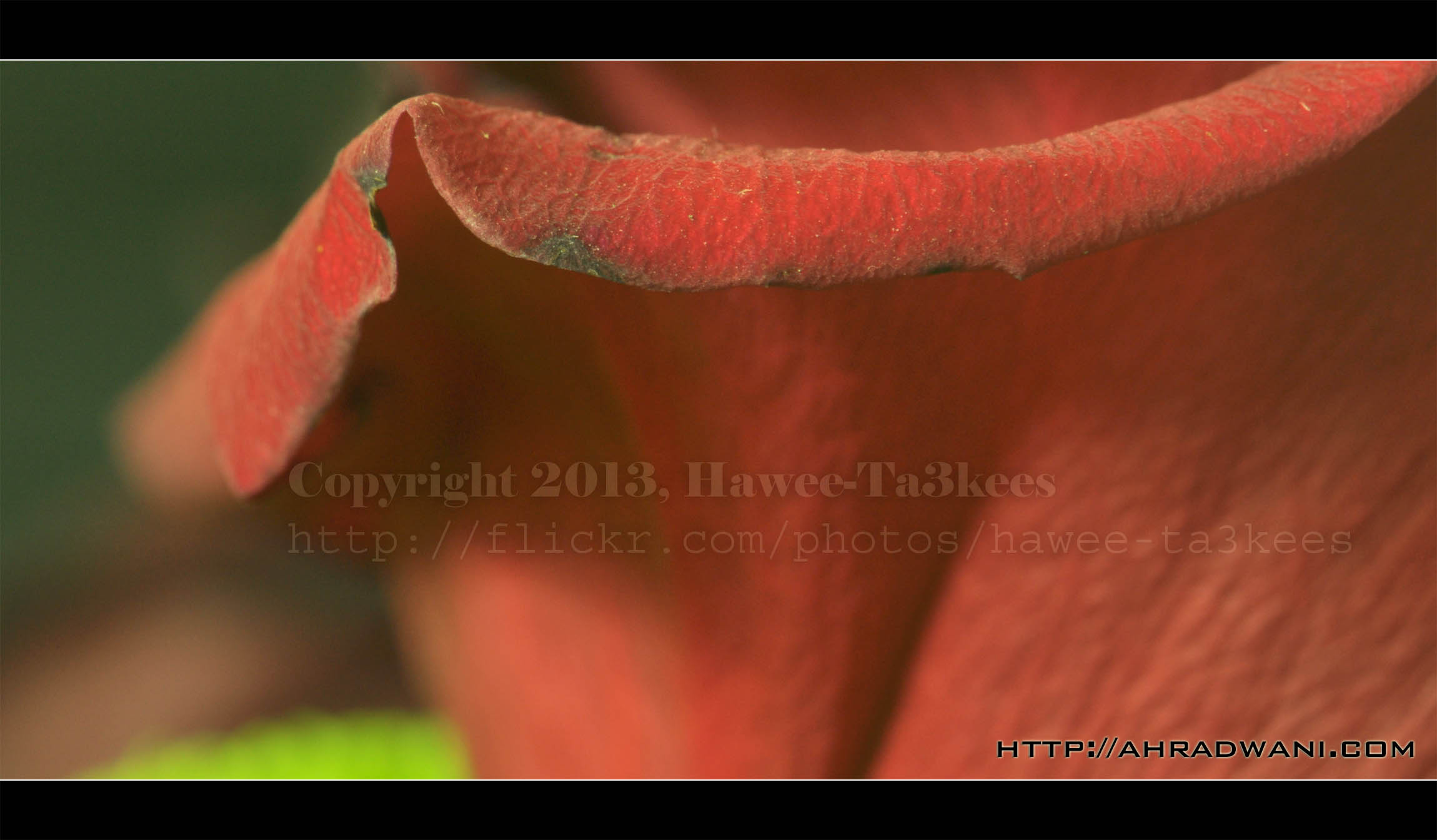
If you want to have a Macro shot you have to get the right lens for that, here i am using the Nikon 105mm Macro lens to take this photo, using tripod and low shutter (for indoor shots) and the lights are the key elements to a good sharp photo; a release cable is a great idea.
In this shot i am using the Nikon D90 camera and Nikon 105m lens
Best to see in Full Size
.;’`Camera Setting`’;.
Model: NIKON D90
Exposure Time: 4″
F Number: F16
Exposure Program: Manual
ISO Speed Ratings: 250
Focal Length: 105mm
Macro on Fruit..
I use the Nikon 105mm lens to take this shot of ‘Tangerine Fruit‘ this is two shots and the focus vary between the fruit and its Peel. I use the lightBox and tripod stand with trigger cable release.

Best to see in full size[Click to enlarge]
..Camera Setting..
Model : NIKON D90
Exposure Time : 1/20″
F Number : F6.3
Exposure Program : Manual
Focal Length : 105mm
Ali,

Taking pictures is not my main daily practices, but when i start playing with my camera, i really enjoy my self.
Thanks for visiting my Space..


 Ali's Photography Space...