Photos from Qatar _213
I set-up my BTK2 key to take three shots with three different film simulations. Here is how to do it.
How to:
>From Menu GoTo Shooting Setting then select / Drive setting the BKT2 Setting> go down to Film Simulation and select your 3 choices, then go-Back to BKT2 Setting and from the first [BKT select] go-in and select Film Simulation.
 Click to Enlarge
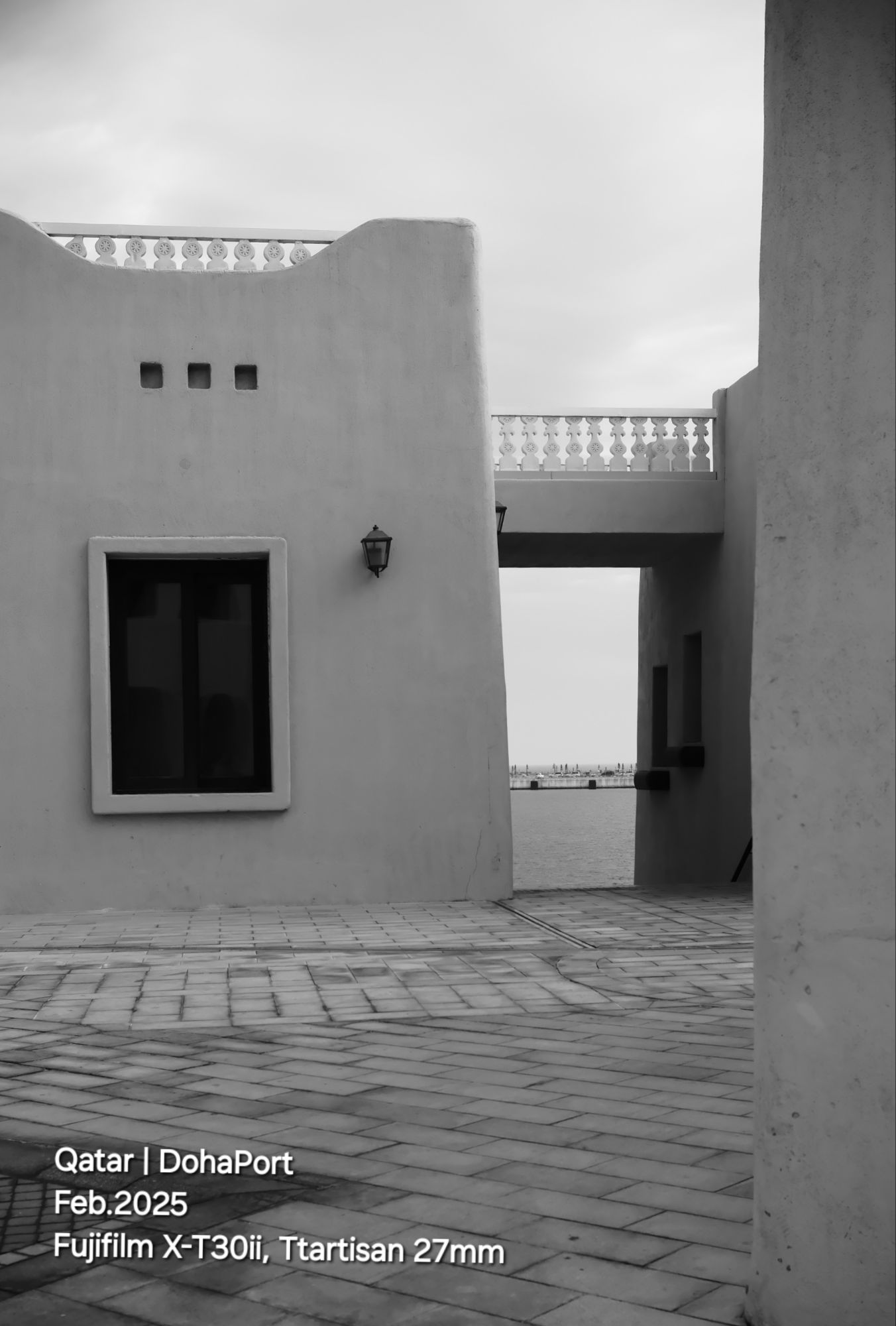
Here is a shot from the old DohaPort shot taken in Black and white film simulation.
ISO 200, Shutter speed 1/250s, and f5.
Click Here to see all images from DohaPort.
Comments (0)
Trackbacks (2)
Leave a comment
Trackback
-
January 13, 2026 at 3:17 amQatar, DohaPort | Ali's Photography Space...
-
January 20, 2026 at 3:16 amQatar, DohaPort | Ali's Photography Space...

Taking pictures is not my main daily practices, but when i start playing with my camera, i really enjoy my self.
Thanks for visiting my Space..
My Flickr: Hawee - Ta3kees


Visitors are from..
I start using the Flag Counter after one month of publishing on Wordprees and after 678 visitors.
 Ali's Photography Space...